
PS5 & Xbox Overheating? Console Cleaning in OKC
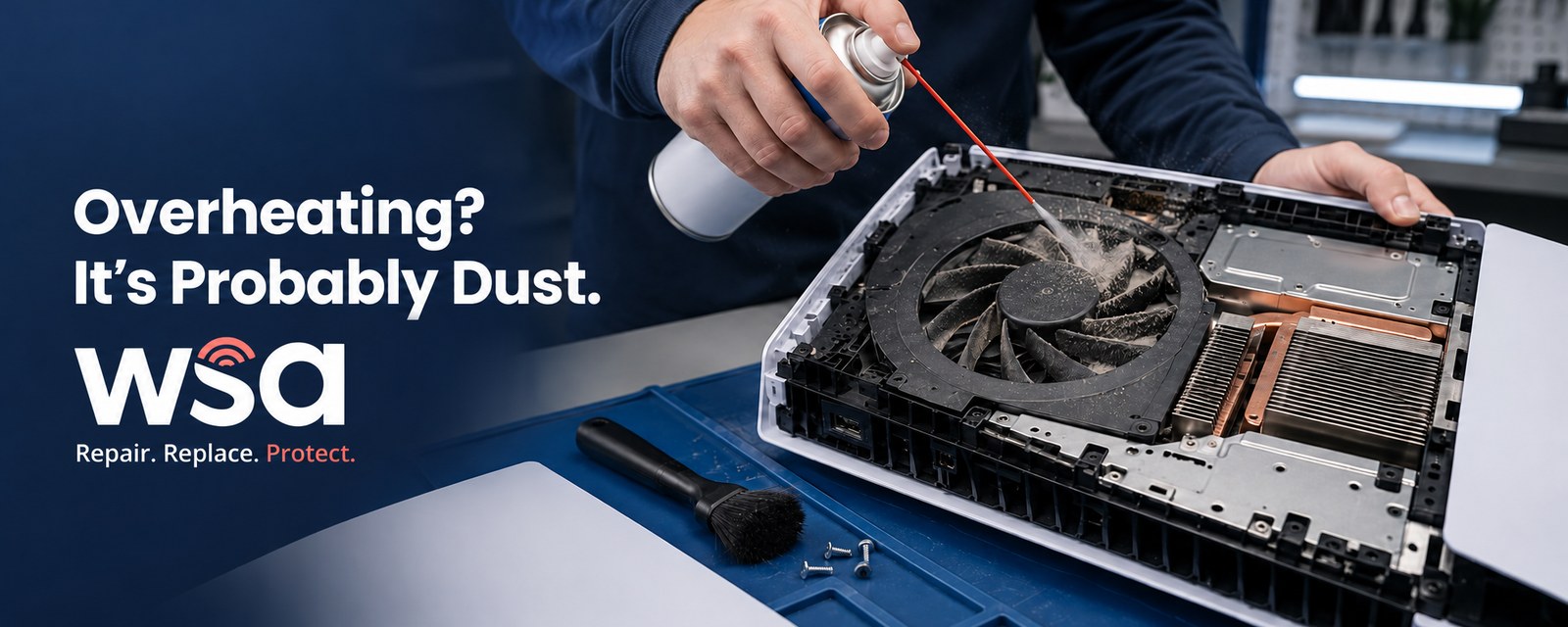
As the weather cools down and the holiday gaming season ramps up, a lot of PS5 and Xbox owners in Midwest City, Norman, and Oklahoma City are noticing the same problem: a console that runs loud, shuts off mid-game, or feels hot to the touch. Overheating is one of the most common issues we see on game consoles, and it's rarely a sign the console is dying. Most of the time, it just needs a proper cleaning or fresh thermal compound.
This guide breaks down why consoles overheat, the warning signs to watch for, what a professional cleaning actually involves, and how to keep your PS5 or Xbox running cool once it's fixed.
Why Do Game Consoles Overheat in the First Place?
Modern consoles like the PS5 and Xbox Series X/S run powerful processors in a relatively compact case, which means they depend heavily on airflow and a thin layer of thermal compound (paste on Xbox, liquid metal on PS5) to move heat away from the chip. When either of those breaks down, temperatures climb fast.
The Usual Culprits Behind an Overheating PS5 or Xbox
- Dust buildup blocking the intake and exhaust vents, which is especially common after a hot Oklahoma summer with the AC (and its dust) running constantly
- Dried-out or degraded thermal compound, which loses its ability to transfer heat from the processor to the heatsink over time
- Poor placement, such as an enclosed entertainment center, thick carpet, or a console pushed flush against a wall
- An aging or failing internal fan that can no longer keep up with the heat the console generates
- Software or firmware issues that occasionally cause the hardware to work harder than it should
Signs Your PS5 or Xbox Needs Cleaning or Thermal Compound Service
- The fan is noticeably louder than it used to be, even during simple menus
- The console shuts down unexpectedly in the middle of a game
- You can see dust caked around the vents from the outside
- The top or sides of the console feel hot to the touch
- Games that used to run smoothly now stutter or drop frames
- You see an on-screen overheating or thermal warning message
Console Cleaning vs. Thermal Compound Service: What's the Difference?
A deep cleaning clears the dust that blocks airflow through the vents and fan. The second fix depends on your console. Xbox Series X and S use traditional thermal paste between the processor and heatsink, and it dries out over time. If you've searched "PS5 thermal paste replacement," here's the catch: the PS5 doesn't use paste. Sony uses liquid metal, which moves heat better but can shift or break down over time, and it conducts electricity. A spill during a DIY job can short the board, which is one more reason to leave PS5 internals to a pro. Consoles that are a couple of years old, or used for long gaming sessions, often need both done at the same time.
What Happens During a Professional Console Cleaning and Thermal Compound Service
- Full disassembly of the console in a controlled, static-safe environment
- Compressed air cleaning of the internal fan, heatsink, and vents
- Inspection of the fan and heatsink for wear or damage
- Removal of the old thermal compound and a fresh application of the right material for your console
- Careful reassembly and a function test to confirm temperatures and fan noise are back to normal
Can I Clean My Console Myself?
External maintenance is safe to do at home: unplug the console and use compressed air or a low-powered vacuum to clear dust from the vents every few months. Opening the console yourself is a different story. PS5 and Xbox consoles use delicate ribbon cables, security screws, and precisely seated heatsinks, and a mistake during reassembly can cause more damage than the overheating itself, including static discharge to internal components or a disc drive that no longer reads properly. For internal cleaning and thermal compound work, it's worth leaving it to a professional.
Why Midwest City, Norman & OKC Gamers Trust WSA for Console Repair
WSA has been repairing devices across the Oklahoma City metro since 2013, and our game console repair technicians work on PS5, Xbox, and Nintendo Switch consoles for customers throughout Midwest City, Norman, and Oklahoma City. We diagnose the issue first, give you a clear price before any work begins, and get your console cleaned, cooled, and back in your hands, right as the holiday gaming season kicks into gear. See console repair in Midwest City, Norman and Oklahoma City.
How to Prevent Overheating Going Forward
- Keep at least 4 inches of open space around your console's vents. Sony recommends 10 cm on every side of a PS5, and Microsoft says not to put anything on, under, or right next to an Xbox.
- Avoid placing your console on carpet or soft surfaces that trap heat and dust
- Vacuum the external vents every couple of months, especially during high-pollen or high-dust seasons
- Keep your system software up to date, since updates sometimes include performance and thermal management improvements
- If your console lives in an entertainment center, leave the back open or the doors open while you play
Roaches Inside Your Console? It Happens.
Game consoles are warm, dark and rarely moved, which makes them a favorite hiding spot for roaches. It's not just gross. Droppings and debris can corrode the board and short out components, and a heavy infestation blocks airflow the same way dust does.
Watch for live or dead roaches around the vents or ports, small dark specks, or a musty smell when the console warms up. If you see signs, don't spray bug spray into the console. Unplug it, seal it in a plastic bag or bin, and bring it in so nothing escapes on the way.
If we open your console and find roaches inside, there's an additional $99 biohazard fee. It covers the extra teardown, decontamination and cleaning time, plus the steps we take to keep pests out of our shop and away from other customers' devices.
Frequently Asked Questions About Console Overheating
How often should a PS5 or Xbox be professionally cleaned?
For most households, once a year is enough, though heavy daily use or a dusty home environment may call for cleaning every six to nine months.
Does the thermal compound really need replacing, or is it a scam?
It's real. Thermal paste dries out over time on any device with a processor and heatsink, not just game consoles, and the liquid metal in a PS5 can shift or break down. When the compound stops doing its job, heat builds up even in a clean console.
Will a repair void my warranty?
Most PS5 and Xbox consoles are past their one-year manufacturer warranty by the time overheating symptoms show up. If it's still under warranty, contact Sony or Microsoft first. Once it's out of warranty, there's nothing to lose by having it repaired locally.
How much does console cleaning or thermal compound service cost at WSA?
Cost depends on the console model and whether cleaning alone resolves the issue or thermal compound service is also needed. We diagnose first and always confirm pricing with you before starting any work.
Do you charge extra if there are bugs inside my console?
Yes. If we find roaches inside, there's an additional $99 biohazard fee to cover the extra decontamination and cleaning.
Get Your Console Ready Before the Holiday Gaming Rush
Don't let an overheating PS5 or Xbox slow down your gaming right as the new holiday releases start dropping. Our technicians in Midwest City, Norman, and Oklahoma City can diagnose the issue, clean out the dust, and refresh worn thermal compound so your console runs quiet and cool again. Book your appointment online today and get ahead of the holiday rush.
Midwest City
7554 SE 15th St., Midwest City, OK 73110
(405) 739-0012
Mon–Sat 12pm–6pm
Norman
1230 24th Ave SW, Norman, OK 73072
(405) 857-8757
Mon–Sat 10am–6pm
Oklahoma City
10904-B North May Ave., Oklahoma City, OK 73120
(405) 849-6429
Mon–Sat 12pm–6pm
Email: info@yourwsa.com
